Appearance
https://iotdb.apache.org/zh/Download/
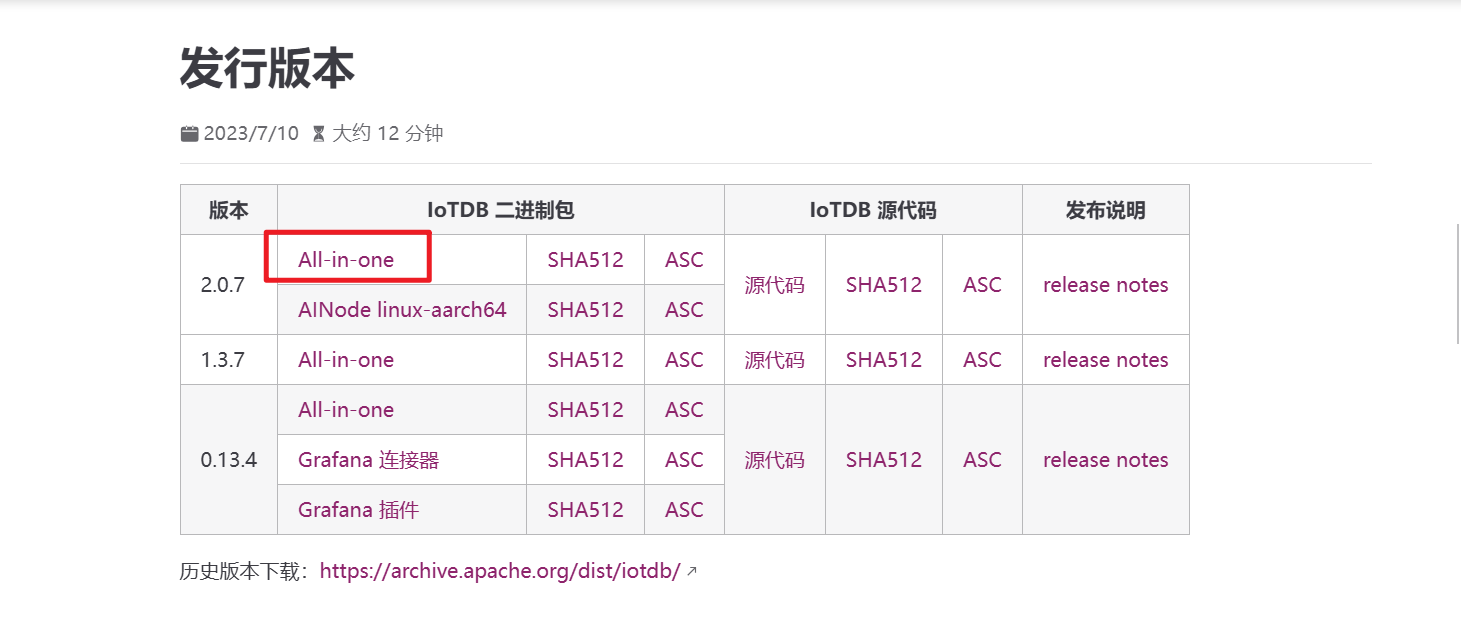
下载后上传至服务器
shell
unzip  apache-iotdb-2.0.7-all-bin.zip
sudo mv apache-iotdb-2.0.7-all-bin /opt/修改配置文件/opt/apache-iotdb-2.0.7-all-bin/conf/iotdb-system.properties
shell
dn_rpc_address=0.0.0.0开机自启
shell
sudo vim /etc/systemd/system/iotdb.serviceshell
[Unit]
Description=Apache IoTDB 2.0.3 Time-Series Database
Documentation=https://iotdb.apache.org/
After=network.target

[Service]
Type=forking
User=ubuntu
Group=ubuntu
WorkingDirectory=/opt/apache-iotdb-2.0.7-all-bin

# 环境变量配置
Environment="IOTDB_HOME=/opt/apache-iotdb-2.0.7-all-bin"

# 启动命令
ExecStart=/opt/apache-iotdb-2.0.7-all-bin/sbin/start-standalone.sh
# 停止命令
ExecStop=/opt/apache-iotdb-2.0.7-all-bin/sbin/stop-standalone.sh

# 服务管理配置
Restart=on-failure
RestartSec=30s
TimeoutStartSec=5min
LimitNOFILE=65536
LimitNPROC=65536

# 日志配置
StandardOutput=journal
StandardError=journal
SyslogIdentifier=iotdb

# 安全配置
NoNewPrivileges=yes
ProtectSystem=full
PrivateTmp=yes
ProtectHome=read-only

[Install]
WantedBy=multi-user.target
shell
sudo systemctl daemon-reload
sudo systemctl enable iotdb
默认端口号:6667 默认用户名:root 默认密码:root
修改默认密码
shell
cd /opt/apache-iotdb-2.0.7-all-bin/conf
./sbin/start-cli.sh -h 127.0.0.1 -p 6667 -u root -pw root


IoTDB> ALTER USER root SET PASSWORD 'NewPassword';